What is a Meta Description?
A meta description is an HTML element, the description meta tag in a page’s head section, that summarizes the page’s content. Google may display it as the snippet below your page’s title in search results, so a compelling meta description can raise your click-through rate, though Google generates most snippets from page content itself.
More About Meta Descriptions
A meta description is one of several meta tags a page can carry, and it has the most visible job of the family: in search results, it can appear as the text below your page’s title tag, helping the searcher decide whether your page is worth the click.
Meta descriptions aren’t a ranking factor. Google uses the element to fill the snippet, the descriptive text in a search result, not to rank pages. A good one still pays off in click-through rate (CTR): a description that matches the searcher’s intent, and echoes the keywords they used, brings better-qualified traffic to your page.
What a meta description looks like in HTML
The element is a single line inside the page’s <head> section. Here’s the sample from Google’s list of supported meta tags, describing a used children’s book:
<meta name="description" content="Author: A.N. Author, Illustrator: P. Picture, Category: Books, Price: £9.24, Length: 784 pages">
Notice how specific it is: real facts about one page, not a generic slogan. The text never renders on the page itself; it exists for search engines and other software that reads the page’s metadata.
Meta description vs. title tag
Both elements live in the page’s head section, and both can show up in the same search result, but they do different jobs:
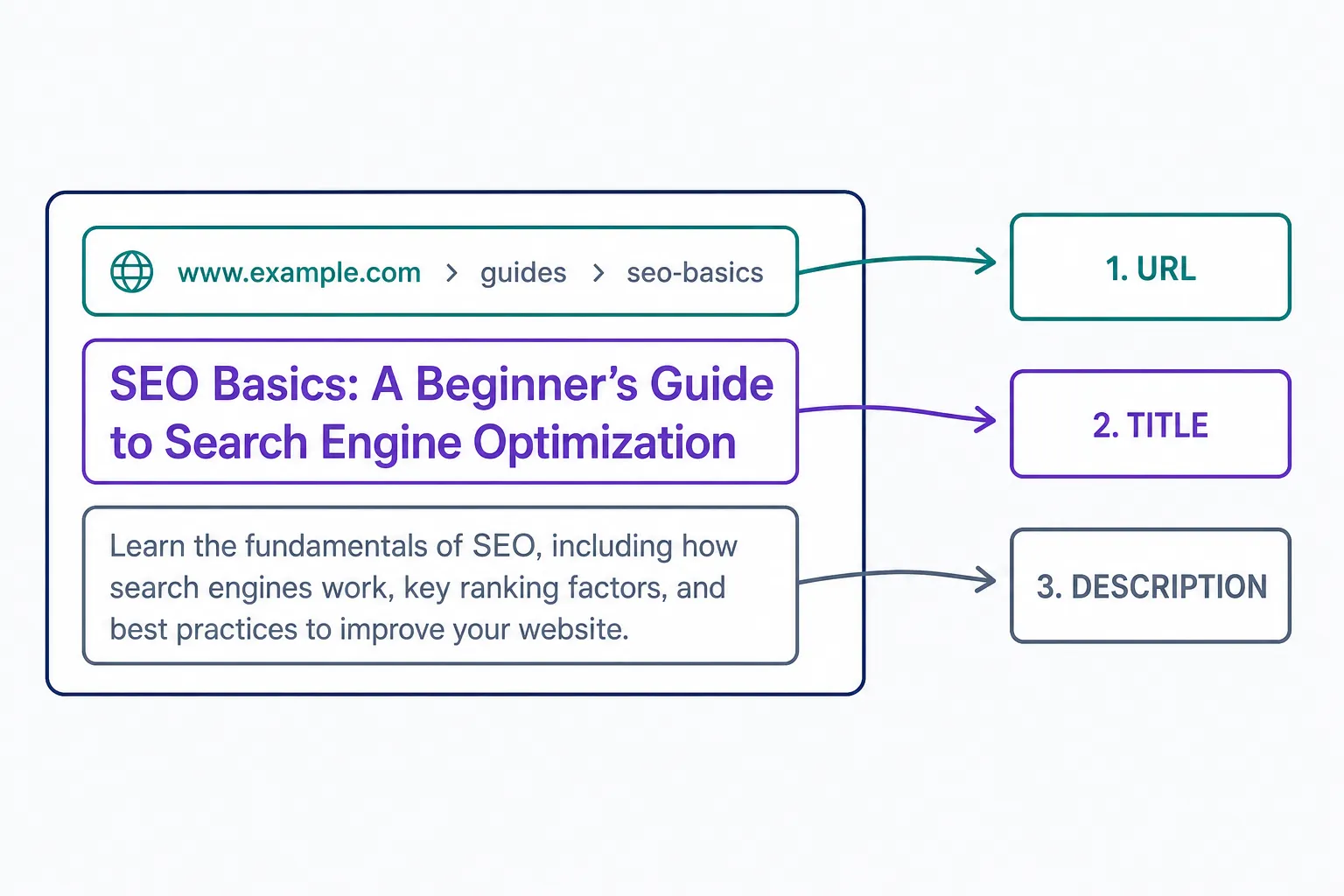
- Title tag: the clickable headline of a search result. It also names the browser tab.
- Meta description: the summary text beneath that headline. It doesn’t affect where the page ranks; its job is persuading the searcher to pick your result.
When Google rewrites your meta description
Writing a meta description doesn’t guarantee anyone will see it. Google builds snippets primarily from the page’s own content and uses your meta description only when it describes the page better than the content does, per Google Search Central’s snippet documentation.
The best large-scale measurement of how often that happens is Ahrefs’ October 2020 study, which compared hand-written descriptions with Google’s actual desktop snippets for 20,000 keywords. In that sample, Google rewrote 62.78% of hand-written meta descriptions, showing them only about 37% of the time on average. Rewrites were slightly more common for long-tail searches (65.62%, versus 59.65% for head terms) because a description written around a page’s main keyword matches those queries less well. The exact rate has likely shifted since 2020, but Google’s current documentation still describes the same snippet behavior.
You can’t force Google to keep your version, but you can give it a reason to: describe the page accurately and write the description around the page’s primary keyword, the query you most want the result to win.
Meta description length
There’s no magic character count. Google sets no limit on meta description length; it truncates snippets as needed, typically to fit the device width. Trimming to a particular number doesn’t make Google more likely to show your text.
Length didn’t change Google’s behavior much in the 2020 Ahrefs sample either: 40.61% of the 192,656 pages studied had descriptions long enough to truncate, yet Google rewrote the too-long ones at almost the same rate as the rest, 61.46% versus 63.69%.
The practical rule is to front-load. Truncation cuts from the end, so put the message in your first sentence and treat everything after it as a bonus.
Writing a meta description that earns the click
Four rules cover most of it:
- Write a unique description for every page. Boilerplate repeated across URLs gives Google nothing worth showing.
- Describe that specific page. Generic marketing copy is exactly the kind of text Google replaces with its own extraction.
- Build it around the page’s primary keyword. That’s the query where your version is most likely to survive.
- Give the searcher a concrete reason to click: a fact, a number, an answer. The bookstore example above sells with a price and a page count, not a slogan.
For examples and a step-by-step process, see our guide on how to write the perfect meta description.
Frequently Asked Questions
- Add the description meta tag inside the page's head HTML, or skip the code: in WordPress, use an SEO plugin's meta description field and the plugin writes the tag for you. No code is required.
- Ideally, but skipping some isn't fatal: Ahrefs' October 2020 study found 25.02% of top-ranking pages have none. On large sites, prioritize pages that already get organic traffic, were built to rank, or get shared socially, since some platforms may use the description when Open Graph tags are absent.
- View a page's source and search for name="description" in the head section. To check a whole site, run a crawl with an SEO audit tool; most flag missing, duplicate, and overlong descriptions in a single report.
Professional SEO Services
Our Pro Services team will help you rank higher and get found online. Let us take the guesswork out of growing your website traffic with SEO.
SEO Services