What is an SVG?
An SVG (Scalable Vector Graphics) file is an XML-based image format that describes two-dimensional vector graphics as text markup instead of pixels. Because the browser draws the image from that markup, an SVG scales to any size without losing quality, making it a common choice for logos, icons, charts, and diagrams.
More About SVGs
SVG files store vector data (shapes, paths, and coordinates) instead of the fixed grid of pixels that raster formats like PNG and JPG use. The browser reads those instructions and redraws the image at whatever size the page needs, so an SVG stays sharp everywhere, from a 16-pixel favicon to a billboard.
How an SVG file works
SVG is an open web standard that the World Wide Web Consortium (W3C) has developed since 1999. An SVG file is plain XML text: any text editor can open and edit one, and vector design tools such as Adobe Illustrator, Inkscape (free), and Figma export the format. Here’s a complete SVG file that draws a blue circle:
<svg xmlns="http://www.w3.org/2000/svg" width="100" height="100"><circle cx="50" cy="50" r="40" fill="#2e6be6"/></svg>
Save that line as circle.svg and open it in a browser. You get a circle that stays crisp at any size. What a page can do with the file depends on how you embed it: paste the markup directly into your HTML (an inline SVG) and its elements join the page’s DOM, where your CSS can style them and your JavaScript can script them. Load the same file with an <img> element instead and it displays as a static image the page’s code can’t reach into. Inline an SVG when you need to style, script, or animate its parts; use <img> when you only need to display it.
Accessibility follows the same split. An SVG loaded with <img> needs alt text, like any other image. An inline SVG needs its accessible name in the markup itself: add a <title> element as the first child of the <svg> tag, or point an aria-labelledby attribute at visible text, so screen readers can announce the graphic.
SVG vs. PNG, JPG, and GIF
Use SVG for graphics and raster formats for photos. Vector instructions can’t efficiently describe the millions of subtly different pixels in a photograph, so that’s where SVG stops being the right tool:
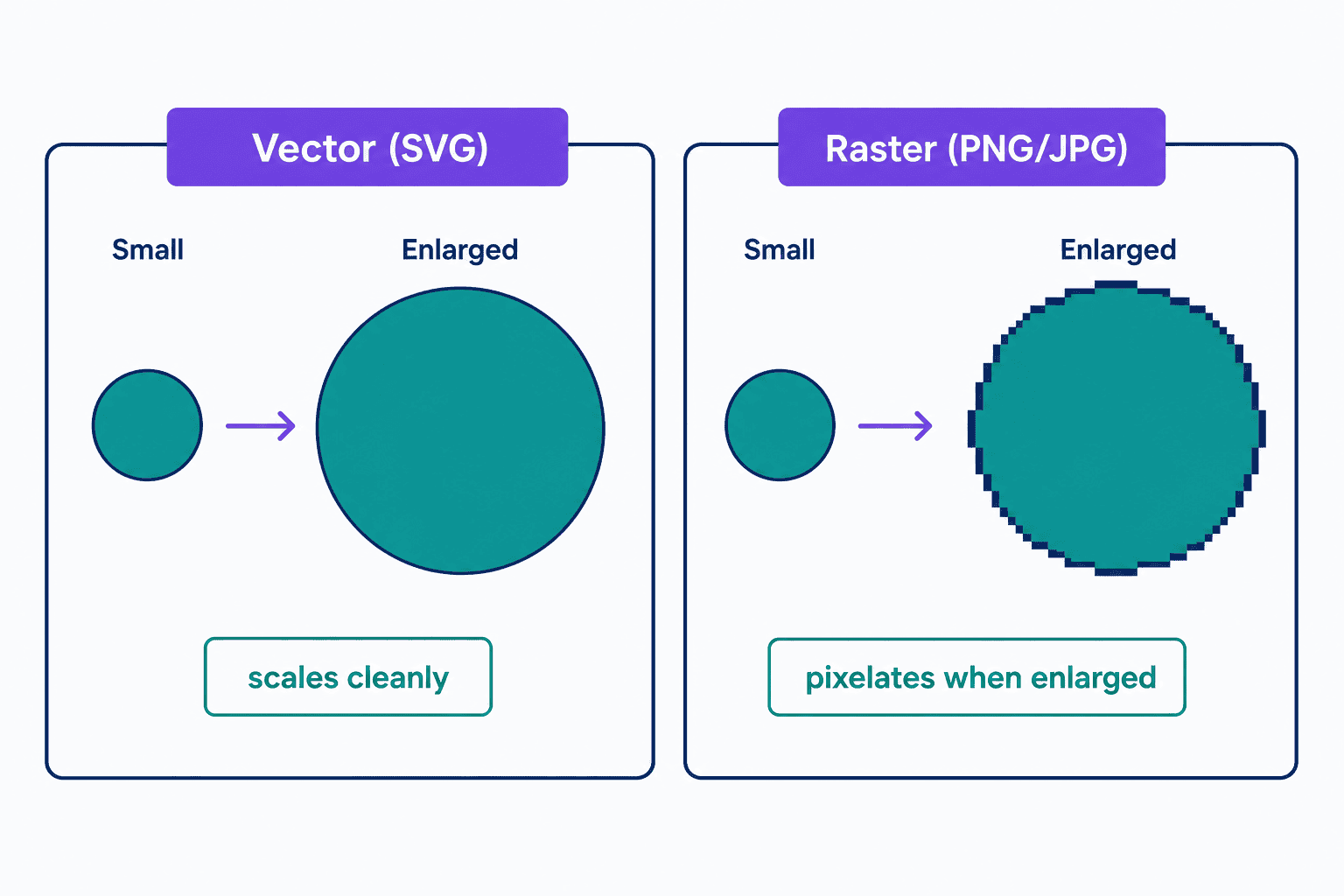
- SVG: logos, icons, charts, and illustrations that need to scale cleanly at any size.
- JPG: photographs and other photo-realistic images.
- PNG: raster images that need transparency, like a product shot without its background.
- GIF: simple frame-based raster animations, mostly where legacy compatibility matters. For animated vector shapes, use SVG; for modern raster animation, consider animated WebP, AVIF, or a short video.
File size follows the same rule. For simple graphics like logos and icons, an SVG is usually smaller than its raster equivalent, which can cut a page’s loading time. A highly detailed image flips that: the XML balloons past the same picture saved as a JPG or PNG, and it takes the browser more work to draw. When in doubt, export both and compare.
SVG uploads in WordPress
WordPress blocks SVG uploads by default. Because an SVG is an XML document, it can carry executable script, a cross-site scripting risk that flat raster images don’t pose. The standard fix is a sanitizing plugin such as Safe SVG by 10up, which allows SVG uploads and strips unsafe markup from every file. For the full setup, plus free SVG libraries and editing tools, see our guide to using SVG files on your website.
Frequently Asked Questions
- Yes. You can animate an SVG with CSS, JavaScript, or SMIL, an XML-based animation syntax built into the SVG standard. Animated logos, loading spinners, and interactive infographics are common uses.
- Effectively yes. Browsers accounting for 96.9% of global web traffic support SVG (caniuse, June 2026 usage data), including every current version of Chrome, Edge, Safari, and Firefox. Only legacy holdouts like Internet Explorer 8 fall short, so no fallback image is needed for a modern audience.
- Not directly. A JPG or PNG stores pixels, not the shape instructions an SVG is made of, so converters have to rebuild the image as vector shapes. That works best for simple logos and icons; a detailed photo becomes a huge file. Keep photographs in raster formats.
Custom Website Design
Get a one-of-a-kind, mobile-friendly website that makes your brand truly shine. Share your vision with us and we'll take it from there.
Custom Web Design