What Is a Hex Code?
A hex code is a hexadecimal color value used in HTML and CSS. The standard form is a hash sign followed by six digits in three pairs (#RRGGBB), each pair setting the red, green, or blue channel from 00 to FF (0 to 255 in decimal). CSS also accepts 3-, 4-, and 8-digit forms, the last two with transparency.
More About Hex Codes
Hex codes are hexadecimal color values used in HTML, CSS, SVG, and most design tools, and they're often included in brand style guides. Rather than looking up a color by name, you enter its code: #28efcb, for example, is a bright cyan.
How to read a hex code
In its standard form, a hex code is a hash sign (#) followed by six hexadecimal digits, read as three pairs. The first pair sets the red channel, the second green, and the third blue. Each pair runs from 00 (none) to FF (full intensity), which is 0 to 255 in decimal. Three 256-level channels make 24 bits, or 16,777,216 possible colors.
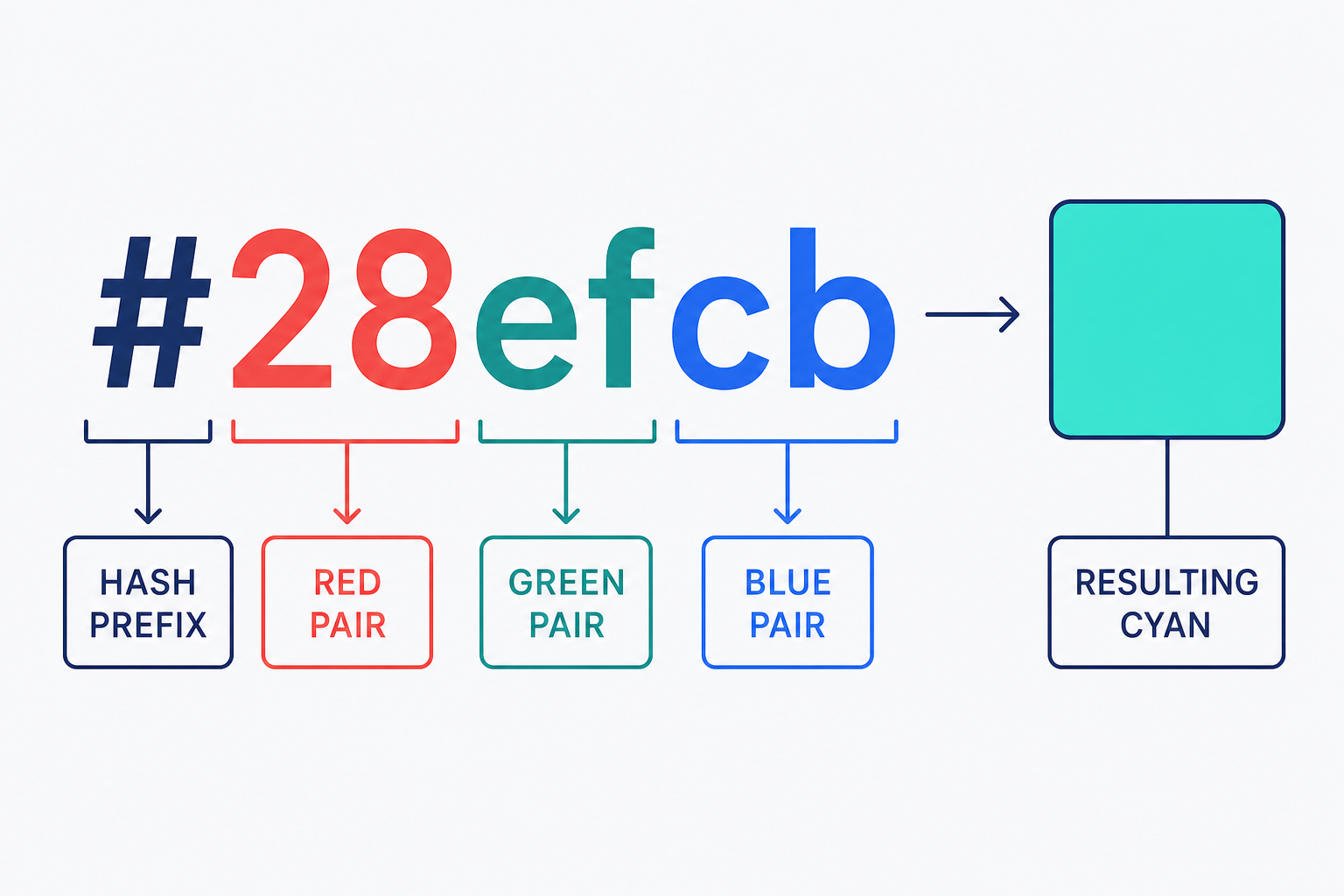
Take #28efcb. The red pair is 28 (40 in decimal), the green pair is ef (239), and the blue pair is cb (203). Lots of green and blue with very little red is what makes it cyan. To use it in a stylesheet, you'd write color: #28efcb;.
Six digits isn't the only valid length. CSS also accepts a 3-digit shorthand (#RGB) and two forms that carry transparency: 4-digit #RGBA and 8-digit #RRGGBBAA, where the final digit or pair sets the alpha channel. MDN's hex-color reference documents all four forms, which are defined in the CSS Color Module Level 4 specification.
Why hex codes use letters
Hexadecimal is a base-16 numeral system, so each digit has 16 possible values: the digits 0-9 stand for zero through nine, and the letters A-F stand for 10 through 15. That's how a 2-digit pair reaches 255: FF means 15 × 16 + 15.
Hex also maps cleanly onto binary. Each hex digit stands for exactly 4 bits, so two hex digits represent 1 byte, the 0 to 255 range of one color channel. One byte each for red, green, and blue is why a 6-digit hex code encodes a complete 24-bit color.
Hex codes vs. RGB
A hex code and an RGB value are two ways of writing the same color: #8411aa and rgb(132 17 170) render identically. The practical differences:
- Hex is compact: six digits after the # name one exact color, and it's the convention in brand guides and most CSS.
- rgb() uses decimal values from 0 to 255, which are easier to adjust by eye. Modern CSS adds transparency after a slash, as in rgb(132 17 170 / 50%); the older rgba(132, 17, 170, 0.5) spelling still works as an alias, though MDN recommends plain rgb().
Use hex for solid brand colors. When a color needs transparency, use an 8-digit hex code or give rgb() an alpha value.
How to find a hex code
Use a color picker. Your browser's developer tools, design apps like Figma and Photoshop, and free online pickers all show the hex value of any color you select. If the project has a brand style guide, check it first: the approved colors should already be listed as hex codes. Still choosing a palette? Our guide to choosing a color scheme for your website walks through it step by step.
Frequently Asked Questions
- No. HTML and CSS treat #28EFCB and #28efcb as the same color. Case is purely a style choice, so pick one and stay consistent across your stylesheets.
- White is #FFFFFF, all three channels at full intensity, and black is #000000, all three at zero.
- Yes. The 3-digit shorthand expands by doubling each digit, so #F09 means #FF0099 and #FFF means #FFFFFF. The 4-digit (#RGBA) and 8-digit (#RRGGBBAA) forms work the same way, with a fourth alpha value for transparency.
- There are 16,777,216 six-digit hex codes: 256 levels each of red, green, and blue, the full 24-bit sRGB palette. The 3-digit shorthand can express 4,096 of those.
Custom Website Design
Get a one-of-a-kind, mobile-friendly website that makes your brand truly shine. Share your vision with us and we'll take it from there.
Custom Web Design